An Amazon FBA truck delivery can fail before the truck even reaches the dock. In many cases, the problem is not the carrier rate — it is the appointment data, pallet information, or delivery requirement that does not match what Amazon expects.
For LTL and truckload shipments, a rejected or delayed FBA appointment can create extra cost quickly: storage, redelivery, detention, layover, rework, or a missed delivery window. Before booking a truck delivery to an Amazon fulfillment center, check the items below.
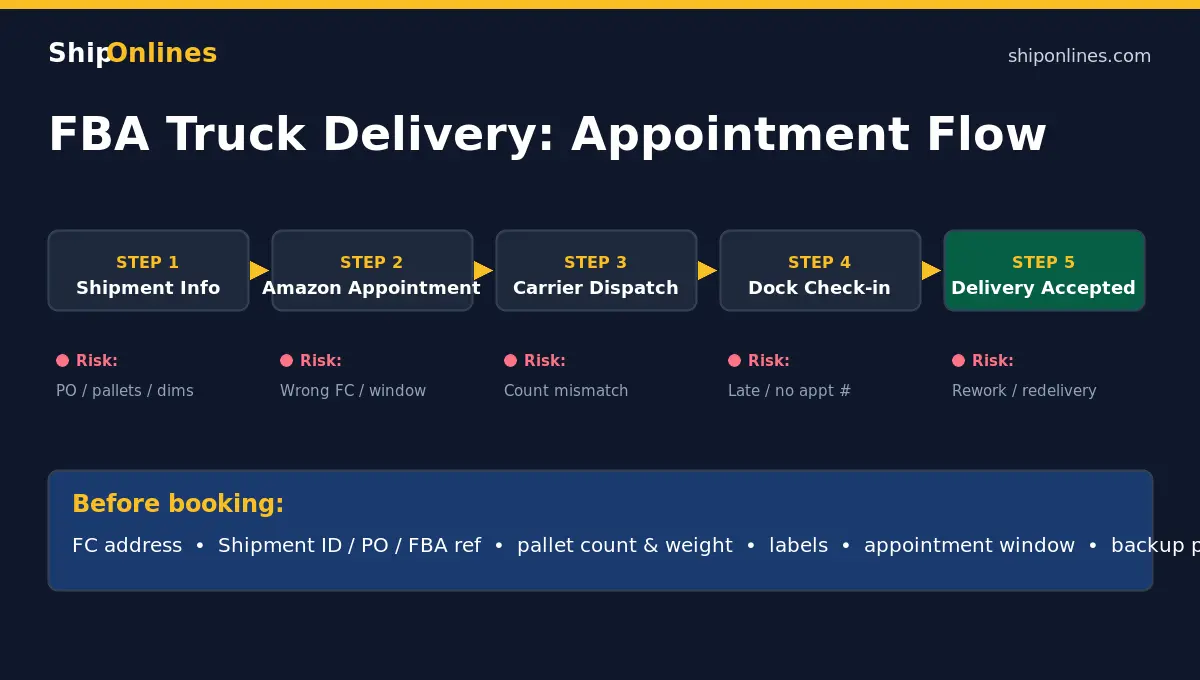
1. Confirm the Amazon reference numbers
Make sure the shipment ID, PO number, FBA shipment number, and appointment/ISA information match the shipment being delivered. A small mismatch can cause the carrier or receiving warehouse to reject the appointment.
- PO or shipment ID does not match the BOL
- Appointment is created for the wrong Amazon FC
- Multiple shipments are combined without clear paperwork
- Carrier arrives with a different load count than scheduled
2. Recheck pallet count, weight, and dimensions
Amazon appointments are often built around expected pallet count and delivery type. If the shipment changes from 8 pallets to 10 pallets, or from palletized freight to floor-loaded freight, the appointment may no longer match the delivery.
- Number of pallets
- Total weight
- Pallet dimensions and stackability
- Whether pallets are standard, oversized, or non-stackable
- Whether the load is LTL, volume LTL, partial truckload, or FTL
3. Make sure labels and BOL are consistent
Each pallet should have the correct Amazon labels and freight paperwork. If the BOL says one thing and the labels say another, the receiving dock may delay the truck or require the shipper to correct paperwork.
- FBA labels are visible and scannable
- BOL references match the shipment
- Consignee address and FC code are correct
- Pallet count on the BOL matches the physical load
4. Verify delivery requirements before dispatch
Some Amazon facilities have strict appointment windows and check-in rules. A carrier arriving too early, too late, or without the right reference can create a failed delivery. Confirm the appointment date and time, check-in instructions, trailer/dock requirements, whether the driver needs a specific appointment number, and whether rescheduling is allowed if pickup is delayed.
5. Plan for exceptions before they happen
If Amazon rejects the appointment, the shipment may need to be stored, reworked, or redelivered. The cost depends on where the truck is, whether the freight is LTL or FTL, and whether the carrier can hold the shipment. Possible extra charges include redelivery, storage, detention or layover, reconsignment/address correction, and pallet rework or relabeling. See our guide on why LTL bills come back higher for the full list.
Quick checklist before booking FBA truck delivery
- Amazon FC address confirmed
- Shipment ID / PO / FBA reference confirmed
- Pallet count and weight confirmed
- Labels applied and visible
- BOL matches physical freight
- Appointment window confirmed
- Carrier has check-in instructions
- Backup plan for delay or rejection
Need help before sending an FBA truck shipment?
ShipOnlines helps shippers compare LTL, volume LTL, partial truckload, and FTL options for Amazon FBA and warehouse deliveries. Send the origin ZIP, Amazon FC destination, pallet count, weight/dimensions, commodity, and appointment requirements and we can help review the plan before booking. Get an LTL freight quote or check the address first with our address checker.